Creating a home workspace that feels cozy and functions well can greatly enhance your productivity and overall well-being. Whether you work remotely full-time or just need a dedicated area for occasional tasks, designing a space that combines comfort with efficiency is key. In this post, we’ll explore practical tips to help you set up a home workspace that supports your work needs while making you feel relaxed and inspired.
Why a Cozy and Functional Workspace Matters
Working from home can blur the lines between professional and personal life. A thoughtful workspace acts as a mental and physical boundary that helps you focus, stay organized, and feel motivated. A cozy atmosphere makes it inviting, reducing stress and creating a place you want to spend time in. When your workspace functions well, it minimizes distractions and physical discomfort, making your workday smoother.
Choosing the Right Location
Selecting the best spot in your home is the first step.
– Consider natural light. Places near windows can boost your mood and reduce eye strain.
– Minimize distractions. Choose a quieter area away from heavy foot traffic or noisy appliances.
– Think about space. Make sure the area is large enough to hold your desk, chair, and other essentials without feeling cramped.
Investing in Ergonomic Furniture
Comfort is crucial when you spend long hours working.
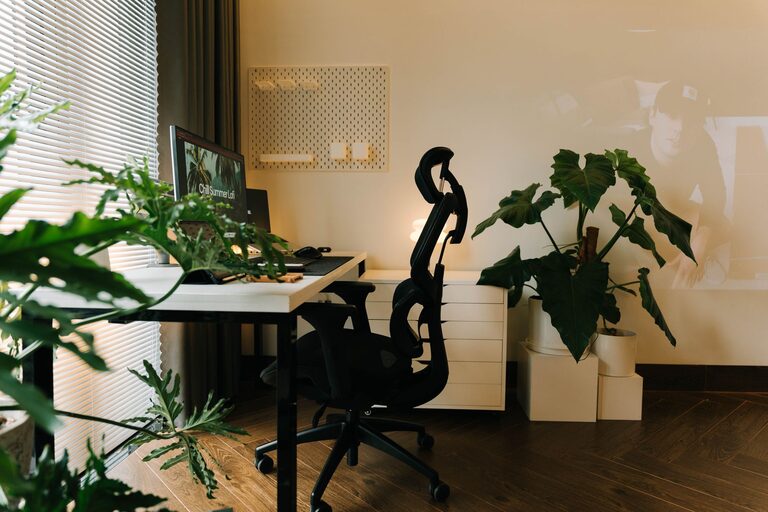
– Ergonomic chair: Choose one with adjustable height, lumbar support, and comfortable padding to protect your back.
– Desk height: Your desk should allow your forearms to rest parallel to the floor when typing to avoid strain.
– Footrest: If your feet don’t comfortably reach the floor, a footrest can improve posture.
Organizing Your Workspace for Functionality
An organized area helps reduce clutter and distractions.
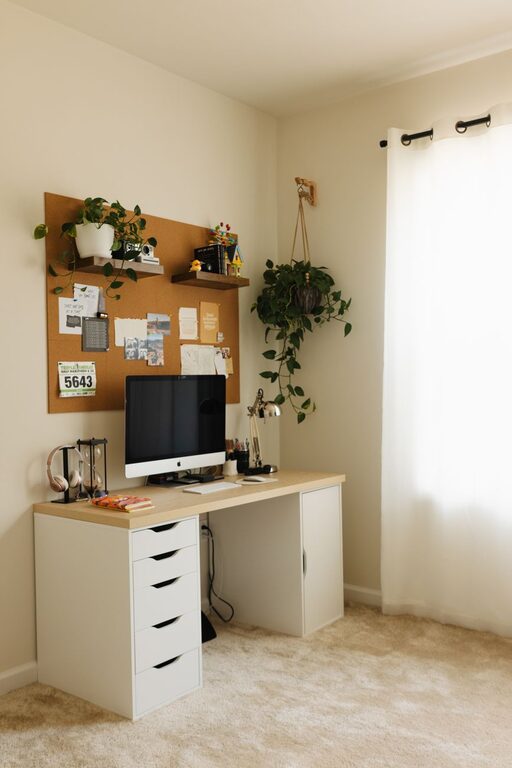
– Use storage solutions: Shelves, drawers, and filing cabinets keep items neatly stored and easy to find.
– Cable management: Use clips, ties, or under-desk trays to keep cords tidy.
– Clear desk policy: Only keep necessary items on your desk to maintain focus and cleanliness.
Adding Cozy Touches
Incorporating warm elements enhances comfort and makes the space inviting.
– Soft textiles: Add a plush rug, cushions, or a cozy throw blanket.
– Personal touches: Photos, artwork, or plants can boost your mood.
– Warm lighting: Use desk lamps or string lights with soft white bulbs to create a soothing ambiance instead of relying solely on harsh overhead lighting.
Optimizing Technology Setup
Efficient technology minimizes frustration.
– Reliable internet: Ensure a strong Wi-Fi connection or use an Ethernet cable for stability.
– Quality peripherals: Invest in an external keyboard, mouse, or monitor if using a laptop for better ergonomics and productivity.
– Noise control: Use headphones or a white noise machine to block out distractions.
Maintaining a Healthy Work Routine
Your workspace can support healthy habits.
– Take breaks: Use a timer to remind yourself to stand, stretch, and rest your eyes regularly.
– Drink water: Keep a water bottle nearby to stay hydrated.
– Separate work and rest: When your workday ends, tidy up your workspace to mentally switch off.
Inspiring Creativity and Focus
Stimulate your mind by designing your workspace to motivate you.
– Vision board: Pin goals, inspiring quotes, or upcoming deadlines where you can see them.
– Flexible layout: Arrange the space to allow for standing work or different seating options.
– Natural elements: Plants or nature-themed decor can improve focus and reduce stress.
Final Thoughts
Creating a cozy and functional home workspace is about balancing comfort with practicality. By choosing the right location, investing in ergonomic furniture, organizing effectively, and adding personal touches, you can build a space that helps you stay motivated and comfortable throughout your workday. Don’t hesitate to experiment and adjust your setup until it perfectly fits your needs and lifestyle. A well-designed workspace makes working from home not only productive but also enjoyable.
About the Author